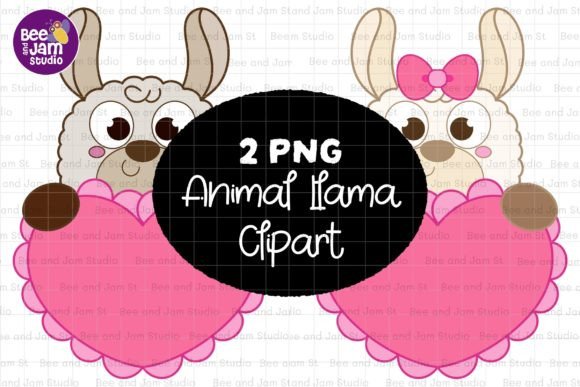
Alpaca Llama PNG Sublimation Clipart
If you're designing greeting cards, planning classroom activities, launching a print-on-demand shop, or crafting custom party decor—this Alpaca Llama PNG Sublimation Clipart set is built for real work. Not just another generic animal graphic, it’s a versatile, production-ready asset designed with intention: clean lines, expressive charm, and technical precision that holds up across mediums—from tiny planner stickers to oversized sublimated tote bags.
Why These Alpacas & Llamas Stand Out in Practice
These aren’t cartoonish caricatures or overly stylized mascots. They strike a thoughtful balance: friendly enough for kids’ busy books, refined enough for boutique stationery, and detailed enough to scale without losing definition. Each illustration features subtle texture hints in the fleece, gentle facial expressions that avoid cliché, and balanced negative space—making them ideal for layering over photos, patterns, or gradients without visual clutter.
The transparent-background PNG format means no time wasted erasing or masking. You drop it into Canva for a Valentine’s card, paste it into Illustrator for a seamless fall-themed pattern, or import it directly into your Cricut Design Space for vinyl-cut labels—all without distortion or quality loss. And because they’re delivered at 4000×4500 pixels (13” x 15”) and 300 dpi, they print crisply on everything from letterpress invitations to large-format wall decals.
Real-World Uses That Go Beyond “Cute”
Let’s talk where this Alpaca Llama PNG Sublimation Clipart actually shines—not just in theory, but in daily creative workflows:
- Educators: Use them in vocabulary flashcards (“alpaca,” “llama,” “Andes,” “wool”) or as themed icons in interactive PDFs for ESL learners. Their consistent size and clarity support visual scaffolding without overwhelming young readers.
- Small Business Owners: Print them on eco-friendly kraft tags for handmade soaps or candles (fall harvest or cozy Christmas themes), or embed them into Shopify product banners to reinforce brand warmth and approachability.
- Digital Planners & Sticker Designers: The high-res transparency lets you resize cleanly down to 0.5” for habit trackers or mood logs—and still retain legibility. Pair one with a minimalist quote overlay for a calming digital sticker pack.
- Sublimation Crafters: These files are prepped for heat transfer success—no jagged edges, no color banding, and sRGB color profile ensures what you see on screen matches the final mug, pillow, or tumbler.
- Authors & Self-Publishers: Drop one into a children’s book cover as a gentle focal point, or use it as recurring motif across chapter dividers in a whimsical fairy tale anthology.
What Makes This Set Efficient—Not Just Pretty
Time is the most valuable resource for creators—and this Alpaca Llama PNG Sublimation Clipart saves it in three tangible ways:
- No post-processing needed: No background removal, no resolution upsampling, no color correction. What you download is production-ready.
- Multi-context compatibility: Works equally well in PowerPoint presentations for parent-teacher conferences, Adobe InDesign layouts for brochures, or Procreate for hand-drawn-style coloring page adaptations.
- Scalable storytelling: One alpaca can anchor a baby shower invite, reappear as a border element in a nursery wallpaper mockup, then become the central character in a kindergarten “All About Me” activity sheet—all using the same file.
Smart Implementation Tips You’ll Actually Use
Before you open that ZIP file, consider these field-tested notes:
- For seamless patterns: Duplicate and rotate the alpaca/llama slightly off-grid, then use Photoshop’s Offset filter (Filter > Other > Offset) to check edge alignment. The clean edges here make this process faster than with busier clipart.
- For sublimation on dark fabrics: Add a white underbase layer *behind* the image in your RIP software—not in the PNG itself. The transparent background gives you full control over that placement.
- In Canva: Upload once, then right-click → “Copy” and “Paste” to reuse across multiple designs. Name your uploads clearly (e.g., “Alpaca_Llama_Valentine_Small”) to avoid confusion when building seasonal bundles.
- For educators printing black-and-white coloring pages: Convert to grayscale first, then adjust contrast to deepen outlines—these illustrations hold line integrity better than many low-detail clipart sets.
When to Choose This Over Generic Alternatives
You’ll notice the difference most when context demands authenticity—not just decoration. A preschool teacher sourcing clipart for a South American cultures unit needs accuracy in silhouette and proportion; a POD seller launching a “Cozy Winter Farmhouse” collection needs cohesion across mugs, notebooks, and throw pillows. This Alpaca Llama PNG Sublimation Clipart delivers both: anatomically grounded shapes, intentional spacing, and a warmth that feels earned—not engineered.
It also avoids common pitfalls: no awkward shadows that don’t match your layout lighting, no embedded text that locks you into one language or font, and no licensing ambiguity. You’re free to use it commercially, adapt it, combine it, and resell derivative works—including physical products, digital downloads, and subscription-based planner kits.
A Final Thought for Makers Who Value Substance
Creative tools should disappear into your process—not slow you down with fixes, compromises, or second-guessing. This Alpaca Llama PNG Sublimation Clipart set was built by someone who’s spent years troubleshooting printer jams, client revision rounds, and last-minute craft fair prep. It’s not about adding more to your library—it’s about replacing five half-suitable files with one that simply works, across seasons, platforms, and purposes.
Download it once. Use it across Valentine’s Day mailers, back-to-school supply lists, Thanksgiving table tents, Christmas ornament templates, and even vocabulary posters for Spanish immersion classrooms. Its flexibility isn’t theoretical—it’s baked into every pixel, every inch, and every transparent edge.