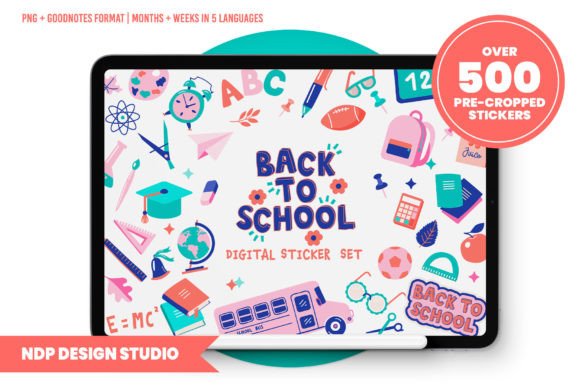
Digital Planner Stickers Back to School
Starting the school year doesn’t just mean new notebooks and sharpened pencils—it means resetting routines, aligning priorities, and building systems that actually stick. For professionals, educators, freelancers, and lifelong learners juggling multiple roles, a digital planner isn’t just convenient; it’s essential. And Digital Planner Stickers Back to School by NDP Design Studio transforms that planner from functional to joyful, organized, and deeply personal—without slowing you down.
More Than Just Decoration—A Productivity Layer
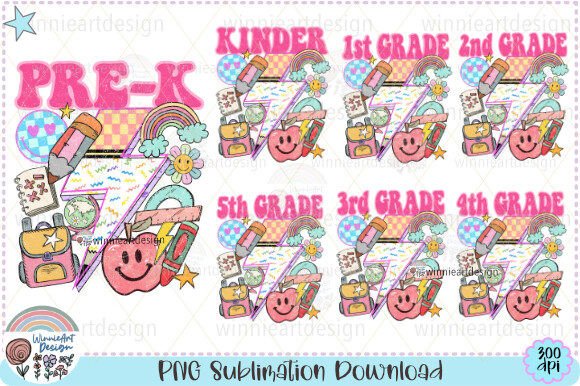
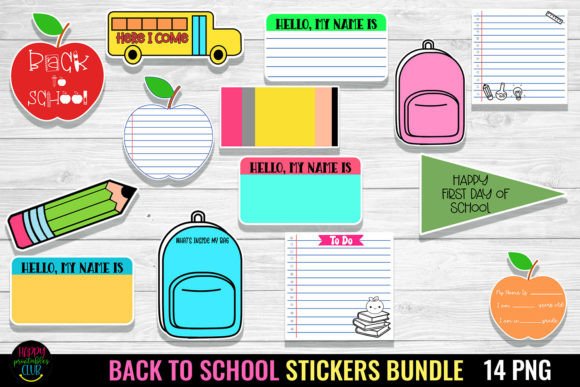
These aren’t generic clipart-style stickers. Every element in the Digital Planner Stickers Back to School set is purpose-built: intuitive icons for assignments, deadlines, and self-care; motivational accents like “You’ve Got This” and “Progress > Perfection”; and practical tools like habit trackers, grade scales, and weekly reflection prompts. With over 500 stickers—including subject-specific icons (chemistry flasks, music notes, literature quotes), classroom-ready labels (“Due Today,” “Submitted,” “Needs Revision”), and seasonal touches (crayons, backpacks, autumn leaves)—this collection bridges intention and action.
What makes it especially effective is how thoughtfully it supports bilingual and multilingual planning. Week and month names appear in English, Spanish, Italian, French, and Portuguese—not as afterthoughts, but as fully integrated options. That means an ESL teacher prepping lesson plans in GoodNotes can toggle between languages seamlessly. A freelance translator managing client deadlines across time zones can keep their calendar aligned with local conventions. Or a university student studying abroad can maintain consistency between their academic schedule and daily life—all without switching apps or rebuilding layouts.
Designed for Real Devices, Real Workflows
NDP Design Studio didn’t optimize for print—they optimized for iPad performance. At 150 DPI, each PNG loads instantly, scrolls smoothly, and preserves crisp edges even when resized. That’s critical if you’re using layered pages in Notability or annotating live during virtual meetings. Large files bog down tablets; these don’t. You get clarity, not compromise.
The delivery structure reflects actual usage patterns. GoodNotes users get a ready-to-use hyperlinked .goodnotes file—every sticker already placed, grouped logically, and linked to corresponding sections of your planner. No dragging, no guessing where “Exam Prep” lives. For everyone else—Noteshelf, Zoom Notes, or custom Notion-linked PDF setups—the zipped folder includes individual PNGs *and* placement guides showing ideal sizing and spacing for common planner templates (like Passion Planner or The Happy Planner digital editions). There’s even a bonus blank hyperlinked PDF sticker book: import it once, then drag-and-drop your favorites into any page—no manual linking required.
Color Consistency, Creative Control
Each palette is built around accessible contrast and visual harmony—not just aesthetics, but usability. The hex codes are included so you can match stickers to your brand colors (if you're a course creator designing student workbooks) or align them with your existing digital theme (say, a calming blue-green scheme for a wellness coaching business). No more guessing whether “Teal Accent #3” matches your header font. It’s all documented, transparent, and editable.
Where These Stickers Actually Show Up in Daily Work
Think beyond student planners. An instructional designer uses the “Lesson Timeline” and “Student Feedback” stickers to map out asynchronous course modules in Noteshelf—then shares annotated versions with colleagues via secure cloud links. A small-business owner running a tutoring studio drops the “Parent Meeting,” “Progress Report,” and “Goal Check-In” stickers into their weekly review template—making client communication feel intentional, not transactional.
A freelance writer tracking article pitches, editorial deadlines, and research hours adds the “Pitch Sent,” “Revision Due,” and “Published!” stickers directly onto their Notion-linked digital calendar. Suddenly, progress isn’t abstract—it’s visual, tactile, and rewarding. Even educators preparing for parent-teacher conferences use the “Strengths,” “Growth Areas,” and “Next Steps” stickers to draft talking points—then copy-paste them into email drafts or printed handouts.
Practical Considerations Before You Download
This set assumes you already use a digital planner—but it doesn’t lock you into one platform. If you’re evaluating whether Digital Planner Stickers Back to School fits your workflow, ask yourself three things:
- Do you annotate or organize visually? If you rely on color-coding, quick symbols, or spatial layout to process information, these stickers reduce cognitive load. If you prefer text-only lists or voice notes, they’ll add little value.
- Are you consistent with your planner setup? These work best when applied to a stable template—like a recurring weekly spread or syllabus tracker. They won’t fix inconsistent planning habits, but they’ll reinforce good ones.
- Do you need flexibility across devices? Since files are app-agnostic PNGs, you can use them on iPad, Android tablet, or even desktop with compatible apps (like Xodo or PDF Expert). But remember: they’re digital-only. Don’t expect printable versions or SVG scalability.
Also worth noting: while the bundle includes multilingual labels, the instructional guides and support materials are in English. That’s typical for niche digital design studios—and perfectly fine if you’re comfortable navigating interface menus across languages. What matters is that the core functionality—naming days, labeling months, tagging tasks—works regardless of your native tongue.
Why This Feels Like a Small Upgrade With Big Returns
Productivity tools often fail because they demand too much setup or feel disconnected from real life. Digital Planner Stickers Back to School avoids both traps. It’s lightweight enough to install in under two minutes, rich enough to sustain focus across semesters, and human enough to spark genuine engagement. You’re not just checking boxes—you’re reinforcing identity (“I’m someone who plans ahead”), honoring effort (“This revision took three tries—here’s my ‘Keep Going’ sticker”), and creating continuity between professional rigor and personal warmth.
For educators building inclusive classrooms, creators launching online courses, or solopreneurs managing scattered deadlines—this isn’t about prettier notes. It’s about lowering the friction between intention and execution. And sometimes, that starts with choosing the right sticker for “First Day Jitters.”