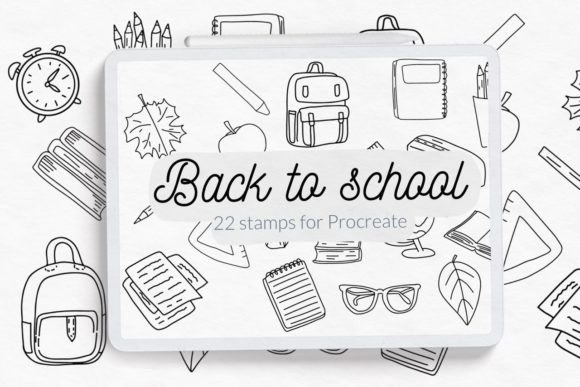
Back to School Procreate Stamp Brush Set
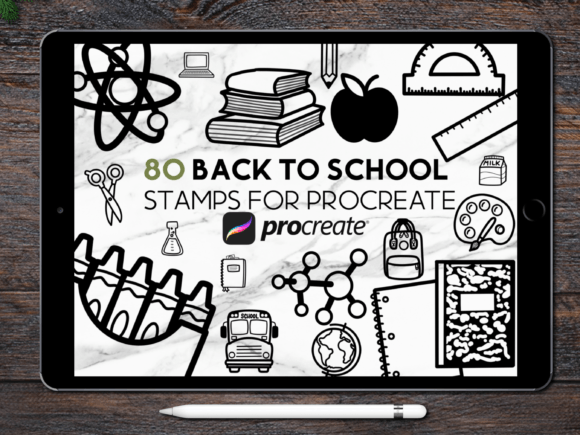
For digital creators who plan, design, and deliver consistently—whether building a teacher resource shop, launching a stationery brand, or personalizing classroom materials—the Back to School Procreate Stamp Brush Set isn’t just another brush pack. It’s a workflow accelerator: 80 hand-drawn, school-themed stamps designed to eliminate repetition without sacrificing personality. Each stamp renders identically every time you tap—no redrawing, no resizing guesswork, no layer misalignment. That consistency matters when you’re batch-producing name tags for 30 students, designing a cohesive set of digital planner stickers, or prepping assets for print-on-demand apparel.
Where This Fits in Your Creative Process
Think of the Back to School Procreate Stamp Brush Set as a precision tool—not a starting point, but a refinement layer. You don’t sketch *with* it first; you sketch *around* it. It comes into play after concepting, once layout structure is clear and visual hierarchy is established. For example, when designing a first-day-of-school welcome poster, you might block out typography and background color first, then drop in a stamped apple, pencil, or open book exactly where spacing and balance call for it. Because each stamp is vector-accurate in its Procreate rendering (designed at high resolution with clean edges), it integrates cleanly into both minimal and busy compositions—no pixelation, no anti-aliasing artifacts.
This set also shortens the gap between ideation and iteration. Instead of drawing five versions of a backpack icon to test placement, you stamp one, duplicate the layer, rotate it 15°, adjust opacity—and compare outcomes in under 30 seconds. That speed compounds across projects: a freelance designer producing back-to-school social media kits for three clients saves roughly 90 minutes per kit just on icon reuse.
Real-World Use Cases Across Roles
Different users activate this set in different phases—but always with intention:
- Educators use stamps during lesson prep: dropping a “homework due” stamp beside calendar entries in digital planners, or layering stamped rulers and notebooks onto editable PDF worksheets for student handouts.
- Small business owners embed stamps directly into product mockups—adding a stamped graduation cap to a tote bag preview, or arranging stamped pencils into a seamless pattern for notebook covers—before sending files to printers or POD platforms.
- Content creators and bloggers insert stamps into Canva designs via exported PNGs (each stamp exports cleanly with transparent background), using them as branded visual anchors in Instagram carousels or Pinterest pins about classroom organization.
- Freelance illustrators treat stamps as modular base elements: combining a stamped chalkboard frame with custom hand-lettered text, or overlaying a stamped stack of books beneath original character art to reinforce theme without redrawing context.
Compatibility and Setup: What You Need to Know
This file is only compatible with Procreate—not Photoshop, Affinity Designer, or iPad Notes. It requires Procreate 5.3 or newer and an iPad with Apple Pencil support for optimal pressure sensitivity and stamp responsiveness. Installation takes under a minute: unzip the download, open Procreate, tap the + icon in the Brushes panel, select “Import,” and choose the .brushset file. All 80 stamps appear under a single, labeled folder titled “Back to School Stamps.” No manual brush creation. No naming conflicts. No need to reorganize.
Because each stamp is a single-brush asset (not a layered PSD or SVG), they behave predictably: tapping applies the full illustration at default size, and pinch-to-zoom scales uniformly with crisp edge retention. There’s no clipping mask setup, no blending mode trial-and-error—just tap, place, and move on. That reliability reduces cognitive load during tight deadlines, especially when juggling multiple client revisions or classroom deadlines.
Workflow Integration Tips That Actually Stick
Here’s what experienced users do—not what the listing promises:
- Pre-label your layers. Before stamping, rename the layer “Stamp: Apple” or “Stamp: Bus” so you can mute, hide, or reposition groups later without guessing which icon is which.
- Use reference grids. Enable Procreate’s Drawing Guide (under Actions > Canvas > Drawing Guide) and set a 4×4 grid before placing stamps for even spacing—critical when building patterns or classroom signage grids.
- Batch-export for cross-platform use. Tap and hold any stamp brush > “Share” > “PNG Image” to export individual icons. These work in Canva, Google Slides, or Illustrator (as placed images), extending utility beyond Procreate alone.
- Assign favorites strategically. Swipe left on frequently used stamps (e.g., “Name Tag Border,” “Homework Checkmark”) and tap the star. They float to the top of the brush list—no scrolling past 75 others to find the one you need mid-flow.
Quality Control and Long-Term Usability
All 80 illustrations are hand-drawn—not AI-generated or traced—so line weight, texture, and charm remain consistent across themes: the same subtle wobble appears in the pencil sketch and the lunchbox doodle. That cohesion supports brand voice. If your store sells warm, approachable educator resources, these stamps reinforce that tone without requiring custom illustration for every SKU.
They’re also built for longevity. No gradients that degrade on export. No embedded fonts that break on update. No reliance on external assets. Everything lives inside the brush file. When Procreate updates, the stamps remain functional—unlike third-party plugins or script-dependent tools that require maintenance.
What This Solves—And What It Doesn’t
This set solves for repetition, speed, and visual consistency—not conceptual development or stylistic transformation. It won’t help you decide *what* your back-to-school branding should communicate. But once you know your message (“organized,” “playful,” “calm”), it helps you express it *uniformly* across 20+ touchpoints: from printed welcome banners to animated Instagram Stories (export frames as PNGs, import into Keynote or CapCut).
It also doesn’t replace foundational skills—like understanding color theory for accessible contrast on student handouts, or knowing CMYK vs. RGB for print workflows. But it removes one variable: the time spent redrawing the same icon six times with slightly different proportions. That reclaimed time lets you focus on decisions that actually move the needle—like refining copy, testing layouts with real users, or optimizing file sizes for fast-loading digital downloads.
Making It Part of Your Routine—Without Overcomplicating
You don’t need a new system to use this well. Start small: pick one recurring task (e.g., updating your weekly digital planner) and commit to using only stamped icons for all school-related markers for one week. Notice where placement feels intuitive—and where you reach for the eraser more than expected. That feedback tells you more than any tutorial: it reveals your actual friction points.
Then expand. Add stamps to your standard greeting card template. Drop them into your Canva brand kit as approved icon options. Save a Procreate template file with your most-used stamps already placed on dedicated layers—ready to duplicate for next year’s class.
The Back to School Procreate Stamp Brush Set works best not as a novelty, but as infrastructure: quiet, reliable, always available. It’s the kind of tool you forget you’re using—until you try working without it, and realize how much mental space you’d been holding onto just to keep things looking aligned.